E-learning · US
How hard is it to cancel Simply Piano?
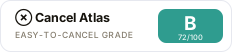
Simply Piano scores 72/100 (grade B) for how clearly it documents cancellation in the US, a clearly documented cancellation policy. Cancellation is available via in-app, online (self-serve), email.
Simply Piano subscriptions are cancelled through the platform where the purchase was made: iOS users cancel via iPhone/iPad Settings > Subscriptions, Android users cancel via Google Play, PayPal users cancel via PayPal's Automatic Payments settings, and direct credit card (Android) users cancel in-app via Menu > My Account > Manage Subscription > Cancel Renewal. Cancellation stops auto-renewal but access continues through the end of the current billing period; uninstalling the app does not cancel the subscription. Refunds are available within 30 days of purchase for direct/PayPal/Google Play purchases, and within 30-60 days for App Store purchases. No subscription pause feature is offered; account deletion is a separate step from cancellation and is permanent.
How to cancel Simply Piano
- Channels: in-app, online (self-serve), email
- Official cancellation page: https://piano-help.hellosimply.com/en/articles/2636337-turn-off-the-subscription-renewal-for-simply-piano
- Pause/freeze: not offered. No subscription pause or freeze option is documented in the Simply Piano Help Center. Users must cancel and resubscribe.
- Refund policy: https://piano-help.hellosimply.com/en/articles/2639396-request-a-refund
- Account/data deletion: Account deletion is available in-app via My Account > Delete Account, or by emailing [email protected]. Deletion is permanent and removes all progress across all Simply apps. Deleting the account does not automatically cancel an active subscription, that must be done separately. https://piano-help.hellosimply.com/en/articles/8786262-deleting-my-simply-account
Evidence
- Turn off the subscription renewal for Simply Piano | Simply Piano Help Center (accessed 2026-06-06)
- Request a Refund for Simply Piano | Simply Piano Help Center (accessed 2026-06-06)
- Last reviewed 2026-06-06 · scope: documented public policy.
Scope & fairness
This is the Documented-Policy tier: it measures how clearly the cancellation policy is published (cited, dated facts), not the behavioural experience of cancelling (Verified-Flow audit pending). Every company is scored on the same five dimensions with the same published weights, scores cannot be bought or removed. It is opinion grounded in disclosed facts, and not legal advice.
Is this wrong? Companies can request a correction ->
Cite this. Cancel Atlas (2026). “Simply Piano, Cancellation Friction Index (US).” CES-1.1. https://www.cancelatlas.com/c/simply-piano-us (CC BY-SA 4.0).
See Simply Piano in the full index -> · How we score · Open data
Earned it? Show your grade
Simply Piano grades B, among the clearest cancellation policies we've scored. Put the badge on your site; it links back here and always reflects your current, cited grade.
Copy the embed:
<a href="https://www.cancelatlas.com/c/simply-piano-us"><img src="https://www.cancelatlas.com/share/badges/simply-piano-us.svg" alt="Cancel Atlas, Grade B" width="232" height="52"></a>