Developer tools · US
How hard is it to cancel Microsoft Clarity?
Microsoft Clarity scores 80/100 (grade B) for how clearly it documents cancellation in the US, a clearly documented cancellation policy. Cancellation is available via online (self-serve).
Microsoft Clarity is a permanently free analytics tool with no paid subscription, so there is nothing to 'cancel' in the billing sense. To stop using Clarity and remove all data, admins delete the project via Settings > Overview > 'Delete this project' (self-serve online, ~3 clicks). Deletion is instant, permanent, and irrecoverable, all project data is removed for all team members. Alternatively, users can simply remove the tracking code from their site to stop data collection without deleting the account. No refunds apply (service is free). No notice period required. Data is retained up to 30 days from the time of recording while the project exists. GDPR and CCPA compliant per Microsoft Privacy Statement.
How to cancel Microsoft Clarity
- Channels: online (self-serve)
- Official cancellation page: https://learn.microsoft.com/en-us/clarity/setup-and-installation/getting-started
- Pause/freeze: not offered. No pause or freeze option exists. Microsoft Clarity is free with no subscription; to stop data collection, users delete the project or remove the tracking code from their site.
- Account/data deletion: Deleting a project permanently removes all associated data for all team members, irreversible and unrecoverable. Data is retained for up to 30 days from recording while the project exists. To delete specific user data, you must delete the entire project. GDPR and CCPA compliant per Microsoft Privacy Statement. To delete account-level data, email [email protected]. https://learn.microsoft.com/en-us/clarity/setup-and-installation/getting-started
Evidence
- Getting started | Microsoft Learn (accessed 2026-06-12)
- Frequently asked questions | Microsoft Learn (accessed 2026-06-12)
- Clarity Overview | Microsoft Learn (accessed 2026-06-12)
- Account management | Microsoft Learn (accessed 2026-06-12)
- Last reviewed 2026-06-12 · scope: documented public policy.
Scope & fairness
This is the Documented-Policy tier: it measures how clearly the cancellation policy is published (cited, dated facts), not the behavioural experience of cancelling (Verified-Flow audit pending). Every company is scored on the same five dimensions with the same published weights, scores cannot be bought or removed. It is opinion grounded in disclosed facts, and not legal advice.
Is this wrong? Companies can request a correction ->
Cite this. Cancel Atlas (2026). “Microsoft Clarity, Cancellation Friction Index (US).” CES-1.1. https://www.cancelatlas.com/c/microsoft-clarity (CC BY-SA 4.0).
See Microsoft Clarity in the full index -> · How we score · Open data
Earned it? Show your grade
Microsoft Clarity grades B, among the clearest cancellation policies we've scored. Put the badge on your site; it links back here and always reflects your current, cited grade.
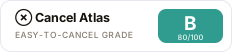
Copy the embed:
<a href="https://www.cancelatlas.com/c/microsoft-clarity"><img src="https://www.cancelatlas.com/share/badges/microsoft-clarity.svg" alt="Cancel Atlas, Grade B" width="232" height="52"></a>