Gaming · US
How hard is it to cancel Discord Nitro?
Discord Nitro scores 82/100 (grade B) for how clearly it documents cancellation in the US, a clearly documented cancellation policy. Cancellation is available via online (self-serve), in-app.
Discord Nitro can be cancelled online via the desktop/browser app or mobile app (in User Settings under the Nitro banner), or through Apple iOS/Google Play subscription settings if purchased on mobile; cancellation via email support is available if account access is lost. Cancellation takes effect at the end of the current billing period, perks remain active until that date. Refunds are available only within 5 days of the initial purchase, are reviewed case-by-case at Discord's sole discretion, and are limited to a one-time exception per subscription category (prior refund = ineligible). No proration is offered for mid-cycle cancellations; there is no subscription pause option.
How to cancel Discord Nitro
- Channels: online (self-serve), in-app
- Official cancellation page: https://support.discord.com/hc/en-us/articles/19580873036695-How-to-Cancel-your-Nitro-Subscription
- Pause/freeze: not offered. Discord does not offer a pause or freeze option for Nitro subscriptions; the only option is to cancel, which remains active until the end of the current billing period.
- Refund policy: https://support.discord.com/hc/en-us/articles/360012668071-Refund-Policy
- Account/data deletion: Users can delete their Discord account via User Settings; messages left in servers are anonymized (not deleted) after account deletion. Discord retains personal data for as long as the account is active, and deletion requests can be sent to [email protected]. A data export package is available via User Settings within 30 days. https://support.discord.com/hc/en-us/articles/5431812448791-How-long-Discord-keeps-your-information
Evidence
- How to Cancel your Nitro Subscription – Discord (accessed 2026-06-05)
- Refund Policy – Discord (accessed 2026-06-05)
- Last reviewed 2026-06-05 · scope: documented public policy.
Scope & fairness
This is the Documented-Policy tier: it measures how clearly the cancellation policy is published (cited, dated facts), not the behavioural experience of cancelling (Verified-Flow audit pending). Every company is scored on the same five dimensions with the same published weights, scores cannot be bought or removed. It is opinion grounded in disclosed facts, and not legal advice.
Is this wrong? Companies can request a correction ->
Cite this. Cancel Atlas (2026). “Discord Nitro, Cancellation Friction Index (US).” CES-1.1. https://www.cancelatlas.com/c/discord-nitro (CC BY-SA 4.0).
See Discord Nitro in the full index -> · How we score · Open data
Earned it? Show your grade
Discord Nitro grades B, among the clearest cancellation policies we've scored. Put the badge on your site; it links back here and always reflects your current, cited grade.
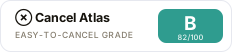
Copy the embed:
<a href="https://www.cancelatlas.com/c/discord-nitro"><img src="https://www.cancelatlas.com/share/badges/discord-nitro.svg" alt="Cancel Atlas, Grade B" width="232" height="52"></a>