Video streaming · AU
How hard is it to cancel BINGE?
BINGE scores 70/100 (grade B) for how clearly it documents cancellation in the AU, a clearly documented cancellation policy. Cancellation is available via online (self-serve).
Direct BINGE subscribers cancel online via a web browser at My Account then Manage Subscription then Cancel Subscription (not available in the app or smart-TV app), keeping access until the end of the current billing cycle and receiving an order confirmation email. App-store and telco-bundle subscribers must cancel through that provider.
How to cancel BINGE
- Channels: online (self-serve)
- Official cancellation page: https://help.binge.com.au
- Pause/freeze: not offered. No pause documented; subscription can be cancelled and reactivated.
- Account/data deletion:
Evidence
- BINGE Help Centre
- Last reviewed 2026-06-17 · scope: documented public policy.
Scope & fairness
This is the Documented-Policy tier: it measures how clearly the cancellation policy is published (cited, dated facts), not the behavioural experience of cancelling (Verified-Flow audit pending). Every company is scored on the same five dimensions with the same published weights, scores cannot be bought or removed. It is opinion grounded in disclosed facts, and not legal advice.
Is this wrong? Companies can request a correction ->
Cite this. Cancel Atlas (2026). “BINGE, Cancellation Friction Index (AU).” CES-1.1. https://www.cancelatlas.com/c/binge (CC BY-SA 4.0).
See BINGE in the full index -> · How we score · Open data
Earned it? Show your grade
BINGE grades B, among the clearest cancellation policies we've scored. Put the badge on your site; it links back here and always reflects your current, cited grade.
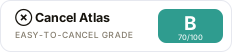
Copy the embed:
<a href="https://www.cancelatlas.com/c/binge"><img src="https://www.cancelatlas.com/share/badges/binge.svg" alt="Cancel Atlas, Grade B" width="232" height="52"></a>