Software / SaaS · US
How hard is it to cancel Apify?
Apify scores 80/100 (grade B) for how clearly it documents cancellation in the US — a clearly documented cancellation policy. Cancellation is available via online (self-serve).
Apify is self-serve. You upgrade, downgrade, or cancel from Apify Console under Billing > Subscription; account/data deletion is done in Account Settings. Cancellation must be done through the web interface - Apify states it cannot cancel accounts via email or phone. A canceled subscription runs to the end of the current billing cycle and does not renew, but you may still be charged for excess (overage) platform usage. Refund stance is strict: per the General Terms, 'Fees are non-cancellable, non-refundable,' and Apify will not refund fees if you downgrade or terminate, except a narrow pro-rata refund for unused prepaid fees when you terminate under Section 15.5.2. Downgrades are not prorated (only unused rolled-over platform usage carries over) and you lose extra licensed features (Actor RAM, datacenter IPs), so Apify recommends downgrading at end of cycle. To stop auto-renewal of an Order, written notice before the Order Term expires is required. No store/in-app billing caveat applies (web/Console billing).
How to cancel Apify
- Channels: online (self-serve)
- Official cancellation page: https://help.apify.com/en/articles/5136728-subscribing-to-the-apify-platform
- Pause/freeze: not offered. No pause or freeze option is documented. Apify's billing help covers only upgrade, downgrade, and cancel; there is no account pause/hold feature. Users who want to stop paying must cancel/downgrade in Billing > Subscription.
- Account/data deletion: Account/data deletion is self-serve and can be done at any time. Per the General Terms: 'If you decide to delete your account for any reason, you can do so at any time by going into Settings on your Account. We cannot cancel Accounts in response to an email or phone request.' After termination, Apify may delete Customer Data per its data retention policies unless legally prohibited. https://docs.apify.com/legal/general-terms-and-conditions
Evidence
- Subscribing to the Apify platform | Apify help & support (accessed 2026-06-06)
- Subscription plan changes and proration | Apify help & support (accessed 2026-06-06)
- Billing | Platform | Apify Documentation (accessed 2026-06-06)
- Apify General Terms and Conditions | Apify Documentation (accessed 2026-06-06)
- Last reviewed 2026-06-06 · scope: documented public policy.
Scope & fairness
This is the Documented-Policy tier: it measures how clearly the cancellation policy is published (cited, dated facts), not the behavioural experience of cancelling (Verified-Flow audit pending). Every company is scored on the same five dimensions with the same published weights — scores cannot be bought or removed. It is opinion grounded in disclosed facts, and not legal advice.
Is this wrong? Companies can request a correction ->
Cite this. Cancel Atlas (2026). “Apify — Cancellation Friction Index (US).” CES-1.1. https://www.cancelatlas.com/c/apify (CC BY-SA 4.0).
See Apify in the full index -> · How we score · Open data
Earned it? Show your grade
Apify grades B — among the clearest cancellation policies we've scored. Put the badge on your site; it links back here and always reflects your current, cited grade.
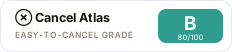
Copy the embed:
<a href="https://www.cancelatlas.com/c/apify"><img src="https://www.cancelatlas.com/share/badges/apify.svg" alt="Cancel Atlas — Grade B" width="232" height="52"></a>