Travel & mobility · US
How hard is it to cancel AllTrails?
AllTrails scores 79/100 (grade B) for how clearly it documents cancellation in the US, a clearly documented cancellation policy. Documented cancellation channels: online (self-serve), in-app, email.
AllTrails subscriptions auto-renew annually; cancellation (turning off auto-renew) must be completed before the Renewal Date and can be done online via account Settings on AllTrails.com, through the iOS or Android app's platform subscription settings, or by emailing [email protected]. Access continues until the end of the current billing period after cancellation. A 30-day money-back guarantee applies to subscriptions purchased via AllTrails.com or Google Play (refund requested through the in-app Support Bot or Help Center chat); Apple App Store purchases must be refunded directly through Apple as AllTrails cannot process those refunds.
How to cancel AllTrails
- Channels: online (self-serve), in-app, email
- Published cancellation policy: https://support.alltrails.com/hc/en-us/articles/37208391282196-How-to-turn-off-auto-renew-for-your-AllTrails-subscription
- Pause/freeze: not offered. No pause or freeze option is documented anywhere in the AllTrails Help Center or Terms of Service.
- Refund policy: https://support.alltrails.com/hc/en-us/articles/37214925781012-Requesting-a-refund-for-an-AllTrails-subscription
- Account/data deletion: Account deletion is self-serve via desktop Settings ('Delete account' in right sidebar) or mobile app (Profile > Settings > Delete Account). Deleting the account does NOT automatically cancel an active subscription, users must turn off auto-renew first to avoid further charges. Once deleted, all data, hikes, photos, and reviews become unavailable and the action cannot be undone. https://support.alltrails.com/hc/en-us/articles/37215997478292-How-to-delete-your-AllTrails-account
Evidence
- How to turn off auto-renew for your AllTrails subscription – AllTrails Help (accessed 2026-06-06)
- Requesting a refund for an AllTrails subscription – AllTrails Help (accessed 2026-06-06)
- Last reviewed 2026-06-06 · scope: documented public policy.
Scope & fairness
This is the Documented-Policy tier: it measures how clearly the cancellation policy is published (cited, dated facts), not the behavioural experience of cancelling (Verified-Flow audit pending). Every company is scored on the same five dimensions with the same published weights, scores cannot be bought or removed. It is opinion grounded in disclosed facts, and not legal advice.
Is this wrong? Companies can request a correction →
Cite this. Cancel Atlas (2026). “AllTrails, Cancellation Friction Index (US).” CES-1.1. https://www.cancelatlas.com/c/alltrails (CC BY-SA 4.0).
See AllTrails in the full index → · How we score · Open data
Earned it? Show your grade
AllTrails grades B, among the clearest cancellation policies we've scored. Put the badge on your site; it links back here and always reflects your current, cited grade.
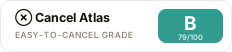
Copy the embed:
<a href="https://www.cancelatlas.com/c/alltrails"><img src="https://www.cancelatlas.com/share/badges/alltrails.svg" alt="Cancel Atlas, Grade B" width="232" height="52"></a>